Galleryit - Photo Vault, Album
- 4.6
- Rating
- 50.00M
- Installs
- Free
- Price

 Analysis by App-foxy
I spent time with Galleryit - Photo Vault, Album as a photography app for the everyday jobs that often feel unnecessarily complicated: browsing a crowded camera roll, making quick edits, keeping selected images private, and sharing a few photos without digging through a heavy social or cloud service. My overall impression is that it aims for a focused middle ground. It is more capable than a basic folder viewer, but it does not try to become a full professional editor or a complete online photo-management platform.
That focus is important. The app is free to start, carries an Everyone age rating, and is made by AI Photo Team. It has built a substantial audience, with a 4.7 average from around 287 thousand ratings and more than 50 million installs. Those figures suggest that its simple approach connects with many people, although popularity alone does not tell me whether it will suit your particular photo habits.
How Galleryit feels in everyday use
The first thing I noticed is that the app makes sense for people who want their gallery to stay close to the main task: see pictures, organize them, adjust them, and decide who can access them. I did not approach it expecting the layered editing controls of a dedicated photography suite. Instead, I judged it by a more practical question: can it reduce the small annoyances that come with managing personal photos on a phone?
You May Also Like

 Blood Strike: 2.5 Anniversary
Blood Strike’s Loadouts Turn Every Drop Into a Tactical Gamble
A close look at Blood Strike’s custom loadouts: how fast access to signature weapons reshapes its battle royale rhythm, rewards preparation, and narrows the gap between fights.

 Pandora - Music & Podcasts
Pandora’s Music Is Easy to Start, but Harder to Recover
Pandora’s strength is its low-effort path from a seed to a station. Its weak spot is how much confidence it asks you to place in connection, setup, and quiet recovery.

 8 Ball Pool
 Is Built on Rivalries, Rematches, and Routine
A close look at the rivalries, rematches, shared routines, and unanswered safety questions that turn a quick pool match into a persistent mobile community.

 Samsung Music
’s Quiet Strength Is Playing What You Already Own
Its reach comes less from spectacle than from dependable access to a personal library. That simplicity is both the app’s strongest retention engine and its ceiling.

 AccuWeather: Weather Radar
AccuWeather Review: A Quick, Clear Forecast for Everyday Decisions
For everyday plans, the best forecast is the one you can understand quickly. AccuWeather makes rain timing, radar, and local conditions easy to act on, with a few trade-offs.

 Hill Climb Racing
Why Hill Climb Racing Still Turns Crashes Into One More Run
A tiny car, a bumpy hill and one more upgrade: Hill Climb Racing keeps resurfacing because its simple chaos makes every near-miss feel personal.
More From Our News Desk
View All News


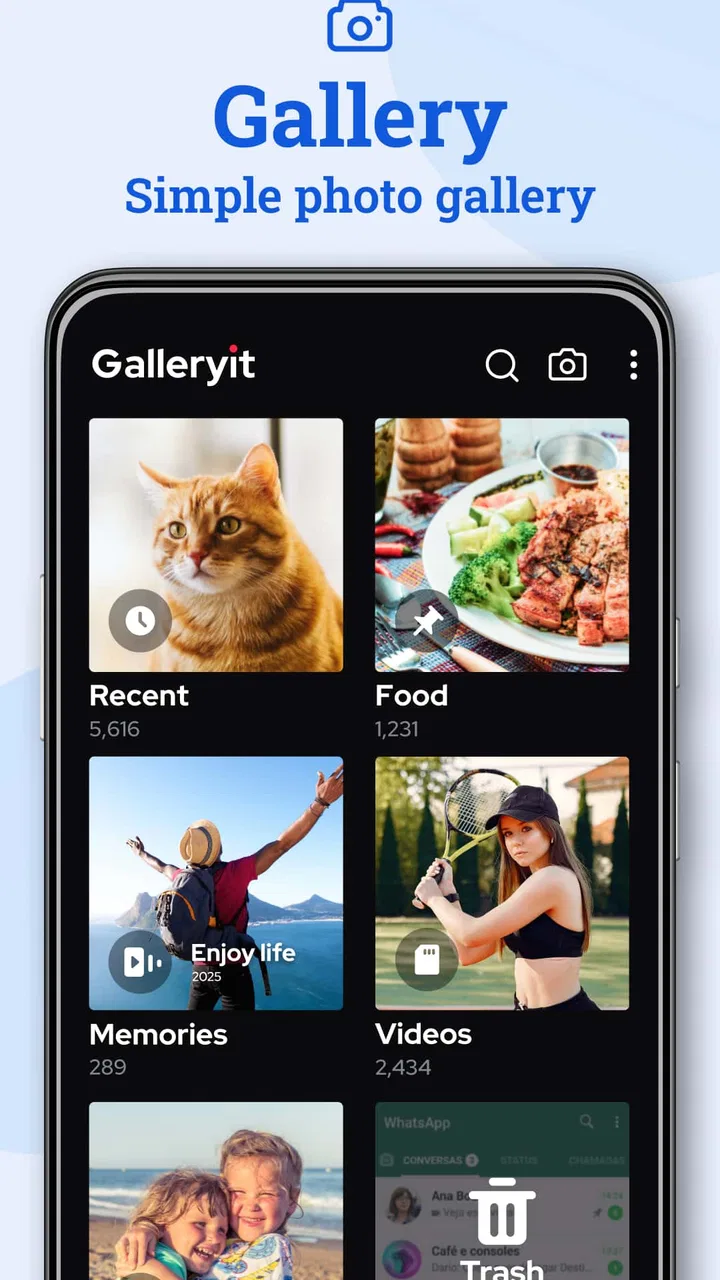
For that purpose, the light gallery concept is appealing. A standard phone gallery often mixes screenshots, downloaded images, camera photos, messaging attachments, and old files into one long stream. Galleryit - Photo Vault, Album is better suited to someone who wants a more deliberate space for reviewing and handling that collection. The useful distinction is not simply that it displays pictures; it brings viewing, basic editing, privacy, and sharing into one photography-focused workflow.
I also like that the app is not restricted to a single type of user. A parent could use it to keep family images easier to browse. A traveler might separate important trip photos from screenshots of tickets and maps. Someone who regularly receives images through messaging apps could use a dedicated gallery instead of relying entirely on the phone maker’s default application. These are ordinary situations, but they are exactly where a small reduction in friction matters.
The app runs on Android versions beginning with Android 8.0, which makes it accessible to people who are not using a recent phone. Its current version is 1.3.9.0. I would treat that version detail as useful context rather than a promise about future behavior: the experience you get today comes from this current release, while later updates may change menus, compatibility, or the balance between free and paid functions.
Browsing is the foundation, not an afterthought
A gallery app lives or dies by how quickly I can find the image I want. Editing tools are not much help if opening folders, scanning thumbnails, or returning from an image feels cumbersome. Galleryit’s strongest idea is therefore its central one: make the photo collection the starting point, then let me move into the other actions from there.
I find this approach more comfortable than opening a separate editor every time I need a small correction. If I am preparing a picture to send to a friend, I would rather select it in the same place where I already review my albums. That keeps the process short and reduces the temptation to create duplicate copies in several apps.
There is a trade-off, though. A focused gallery cannot replace every specialized tool. People who need detailed retouching, sophisticated masking, advanced color work, or a carefully managed professional catalog will probably still want a dedicated editor or a desktop workflow. Galleryit is more convincing for quick personal decisions than for demanding photographic production.
Quick editing is most useful when the goal is sharing
The editing side makes the most sense in a simple chain: choose a photo, make a modest improvement, then share it. I would use this for straightening a casual shot, making an image easier to see, or preparing a picture before sending it in a conversation. The value is not that it turns an ordinary phone photo into studio work. The value is that I do not have to leave the gallery just to make a practical adjustment.
That workflow also changes how I think about duplicates. When an image needs a quick correction, I want to know which version I am sending and where it will remain afterward. A gallery-centered editor can be convenient, but I still recommend checking the result before sharing, especially when the original matters. A quick edit is only helpful if it does not leave me confused about which file is the source and which one is the ready-to-send copy.
For serious editing, I would choose an app built around layers, selective adjustments, or extensive export control. For casual images, the integrated approach is less intimidating. This is one of the clearest examples of where Galleryit is better than the usual alternative: not because it offers deeper tools, but because it can keep a small job from becoming a multi-app process.
The private album changes the app’s role
The photo-vault element gives Galleryit a different purpose from a normal gallery. Some pictures are not meant to appear every time another person looks through the phone. That could include personal documents, private memories, surprise-gift photos, or images that I simply do not want mixed into the everyday camera roll.
I see the vault as most useful when it is treated as a privacy layer for selected images, not as a replacement for a broader security plan. Before moving anything important, I would test the process with a nonessential photo and make sure I understand how it returns to the regular gallery. That small test is a worthwhile habit because privacy features are only reassuring when their behavior is clear during both hiding and restoring.
A hidden album is also not the same thing as encrypted backup. If a photo matters greatly, I would still think about keeping a safe copy in a location I control. The app can help me keep selected images out of casual view, but I would not rely on one phone-based gallery as the only home for irreplaceable memories. That is not a criticism unique to this app; it is an important distinction for anyone comparing a vault with a backup service.
Another practical tip is to decide on a routine before filling the vault. I would avoid moving dozens of images into private storage without a clear reason, because an overstuffed vault becomes difficult to review. A small, intentional collection is easier to manage than treating the feature as a second camera roll.
Sharing offline can be useful in the right moment
The offline sharing angle is one of the more interesting parts of the app’s positioning. There are situations where I want to pass photos along without building the task around an online service. For example, after taking several pictures at a family gathering, I might want to choose a few and share them directly rather than uploading the entire set somewhere first.
This can also be useful when connectivity is unreliable or when I want to keep a simple handoff separate from a social platform. The important benefit is control over the immediate sharing workflow: select the images I actually intend to send, make any quick changes, and share them without turning the moment into a public posting exercise.
Still, offline sharing should not be confused with universal compatibility or long-term storage. I would use it for a direct, practical exchange, then confirm that the recipient received the intended files. If I need automatic synchronization across several devices, searchable cloud archives, or collaborative albums, a cloud-first photo service remains the better fit.
What the current release means for different users
When I think about the current release, I’d judge it less by how many jobs it promises to handle and more by whether its gallery, editing, privacy, and sharing steps stay clear in daily use. That matters especially on a shared phone, where a convenient shortcut for one person can expose another person’s images. I’d start by agreeing on who uses the app and what belongs in its private area.
A sensible choice for people tired of overloaded gallery apps
Many default galleries now try to do everything: automatic memories, cloud suggestions, device folders, editing, sharing, and sometimes social features. That can be convenient, but it can also make a basic task feel busy. Galleryit appeals to me when I want a more direct relationship with my images and do not need every extra layer.
It is especially suitable for someone who wants three things in one place: a readable photo browser, quick edits, and a way to separate private pictures. The combination is more valuable than any single part. A basic gallery may browse photos well but offer no meaningful privacy workflow. A dedicated vault may hide files but make editing and sharing awkward. A full editor may be powerful but poor at everyday organization. Galleryit’s advantage is the connection between these jobs.
It is also approachable for people who do not enjoy learning complicated creative software. I would recommend it to a friend who wants to improve a photo before sending it but does not want to understand a large collection of technical controls. The interface concept is easier to explain: start with the picture, then choose whether to adjust it, protect it, or share it.
Who should choose something else
I would not make this my first recommendation for a professional photographer managing a large, carefully tagged library. If your priorities are non-destructive editing, detailed metadata, advanced color correction, or a dependable multi-device catalog, you should look toward specialized photography software or a strong cloud library instead.
I would also hesitate to recommend it as the sole solution for someone whose main concern is automatic backup. A gallery and a backup system solve different problems. Galleryit can help me decide how photos appear and where selected images are kept on the phone, but a person who frequently changes devices or worries about losing a collection should prioritize a separate backup habit.
Finally, users who want a fully automatic experience may prefer the default gallery that is already deeply integrated with their phone. Integration can make background organization and device-wide searching smoother. Galleryit is more attractive when I am willing to use a dedicated app because I value its focused combination of viewing, privacy, and sharing.
Small workflow decisions make a noticeable difference
My first practical recommendation is to establish a cleanup pass before relying on the app’s gallery view. Remove obvious duplicates, old screenshots, and disposable downloads where appropriate. A focused gallery is easier to appreciate when the underlying collection is not overwhelmed by files I never intend to keep.
My second recommendation is to separate privacy from convenience. Use the vault for images that genuinely need to stay out of casual browsing, and keep ordinary photos in regular albums so they remain easy to find and share. If everything is hidden, the private area stops being a useful filter.
My third recommendation is to edit with the final destination in mind. A picture for a quick message does not need the same treatment as one I plan to print or preserve. Galleryit’s integrated editing is most efficient for immediate, everyday use. For an important image, I would keep the original available and inspect the edited result at full size before sending it.
A fourth useful habit is to test one complete cycle: import or locate a photo, adjust it, place a copy in the private area if needed, restore it, and share it. Doing this early answers the questions that matter in practice: can I find the file again, do I understand where the edited version goes, and does the privacy workflow fit the way I actually use my phone?
Cost and expectations
The app is free, which makes it easy to try without committing money at the start. In-app purchases range from $3.99 to $24.99 per item. I would therefore explore the basic workflow before deciding whether any paid option is worthwhile. The right question is not simply whether an upgrade exists, but whether it removes a limitation that affects my everyday use.
Because the app has a large installed audience and a strong average rating, a new user may reasonably expect a polished basic experience. I would still judge it on my own device and photo habits. Gallery performance can feel different depending on the size and messiness of a personal collection, and a privacy workflow deserves individual testing rather than blind trust based on popularity.
The Everyone rating makes the app broadly appropriate from an age-classification perspective, but that does not remove the need for sensible privacy practices. If children use the phone or multiple people share access to it, I would pay attention to how the gallery is opened, how private images are handled, and whether the device itself has a secure lock.
What I would watch as the app develops
The current version, 1.3.9.0, gives users a clear snapshot of where the product stands now. For me, the most meaningful future improvements would be those that strengthen trust and clarity rather than simply adding more visual effects. I would watch for smoother handling of originals and edited copies, clearer movement between regular albums and the vault, and sharing steps that make the destination of each file obvious.
I would also pay attention to whether the app continues to stay lightweight as more capabilities arrive. Its appeal depends partly on not feeling like an overloaded replacement for every photo service. Additional tools could be welcome, but only if they preserve the direct path from browsing to editing, privacy, or sharing.
Another area worth watching is how well the app serves people with older Android devices while maintaining a modern experience. Support beginning with Android 8.0 broadens its reach, and keeping that accessibility without making the interface feel dated would be a meaningful strength. I would value dependable everyday behavior more than a long list of features that I rarely use.
My recommendation after using it
Galleryit - Photo Vault, Album is a good fit when I want a practical photography app rather than a complete photo ecosystem. Its strongest value comes from combining a straightforward gallery with quick editing, selected-photo privacy, and offline-oriented sharing. That combination makes sense for personal collections, family photos, casual editing, and anyone who finds a default gallery too cluttered.
I would recommend trying it if your main frustrations are finding pictures, keeping certain images separate, and making small edits before sharing. I would not present it as a substitute for professional editing, automatic cloud backup, or a carefully managed archival system. Those needs call for different tools, and expecting one lightweight gallery to cover them all would lead to disappointment.
My final view is positive but measured: Galleryit works best as a focused daily photo companion, not as an all-purpose replacement for every photography service. Start with a small collection, test the private and sharing workflows, and see whether its simpler approach matches your habits. If it does, the app can make routine photo management feel noticeably less scattered without asking you to become an expert user.
FAQs for Galleryit - Photo Vault, Album
01What is Galleryit - Photo Vault, Album and what are its main features?
Galleryit is a secure photo vault and album app designed to protect your personal photos and videos. Its main features include password protection, encrypted storage, and a seamless interface for organizing media. It also offers cloud backup options and the ability to hide app icons for added security.
02How secure is Galleryit - Photo Vault, Album?
Galleryit employs advanced encryption techniques to ensure the security of your photos and videos. It requires a password or biometric authentication to access the vault, making it highly secure against unauthorized access. Additionally, it provides cloud backup options to safeguard your data against device loss.
03Can I organize my photos and videos within the app?
Yes, Galleryit allows you to organize your photos and videos into albums. You can easily create, rename, and delete albums, as well as move and sort files within them. This organization feature helps you manage your media efficiently and keeps your content neatly categorized.
04Is there a limit to the number of photos and videos I can store in Galleryit?
Galleryit does not impose a strict limit on the number of photos and videos you can store, but the total amount is subject to your device's storage capacity. For those with limited space, the app offers cloud storage options, which may come with additional costs depending on the plan you choose.
05Does Galleryit offer any customization features for its users?
Yes, Galleryit provides several customization options. Users can choose themes, set personalized album covers, and customize the app's interface to suit their preferences. This level of customization enhances the user experience, making the app both functional and visually appealing.
Pros
- Easy-to-use interface for quick navigation.
- Strong encryption for enhanced photo security.
- Allows creation of multiple albums for organization.
- Supports various photo and video formats.
- Regular updates improve app performance.
Cons
- Limited cloud storage options available.
- Free version has intrusive ads.
- No direct social media sharing from app.
- Some features require premium purchase.
- Occasional bugs with video playback.

Galleryit - Photo Vault, Album
Gallery